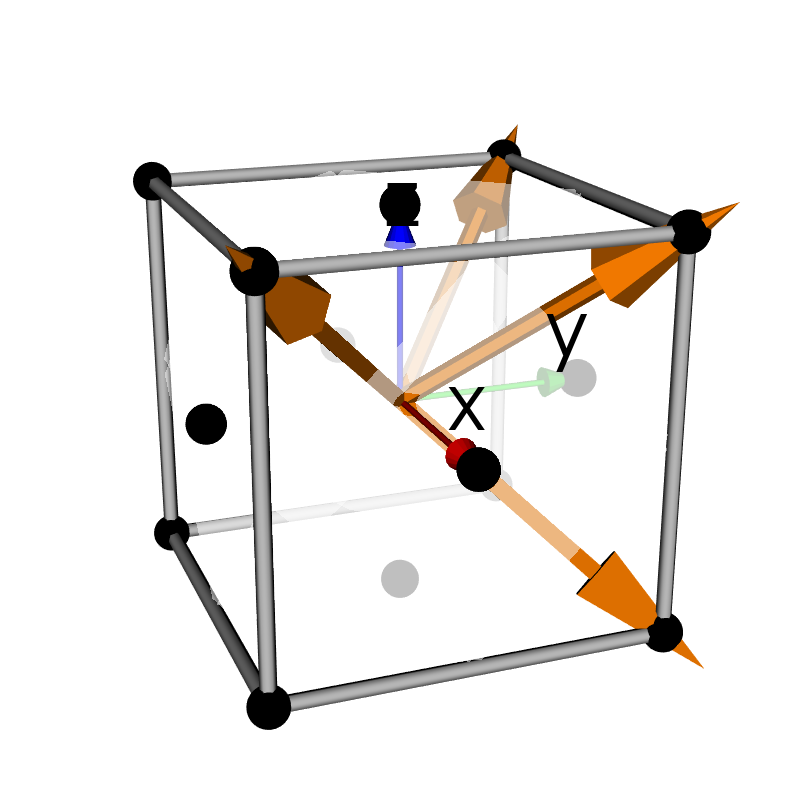
Python source code: cubic_crystal_3d.py
from pymicro.crystal.microstructure import Orientation
from pymicro.view.scene3d import Scene3D
from pymicro.view.vtk_utils import axes_actor, lattice_3d_with_planes, setup_camera

'''
Create a 3d scene with a cubic crystal lattice.
Hkl planes are added to the lattice and displayed.
'''
# create the 3D scene
base_name = os.path.splitext(__file__)[0]
s3d = Scene3D(display=False, ren_size=(800, 800), name=base_name)

# create the unit lattice cell
l = Lattice.face_centered_cubic(1.0)

# create the slip planes and the cubic lattice actor
hklplanes = HklPlane.get_family('111')
cubic = lattice_3d_with_planes(l, hklplanes, origin='mid', \
                                crystal_orientation=None, show_normal=True, plane_opacity=0.5)
s3d.add(cubic)

# add axes actor
axes = axes_actor(0.5, fontSize=50)
s3d.add(axes)

# set up camera and render
cam = setup_camera(size=(1, 1, 1))
cam.SetFocalPoint(0, 0, 0)
cam.SetPosition(4, -1.5, 1.5)  # change the position to something better
cam.Dolly(1.2)  # get a little closer
s3d.set_camera(cam)
s3d.render()

# thumbnail for the image gallery
from matplotlib import image

image_name = base_name + '.png'
image.thumbnail(image_name, 'thumb_' + image_name, 0.2)