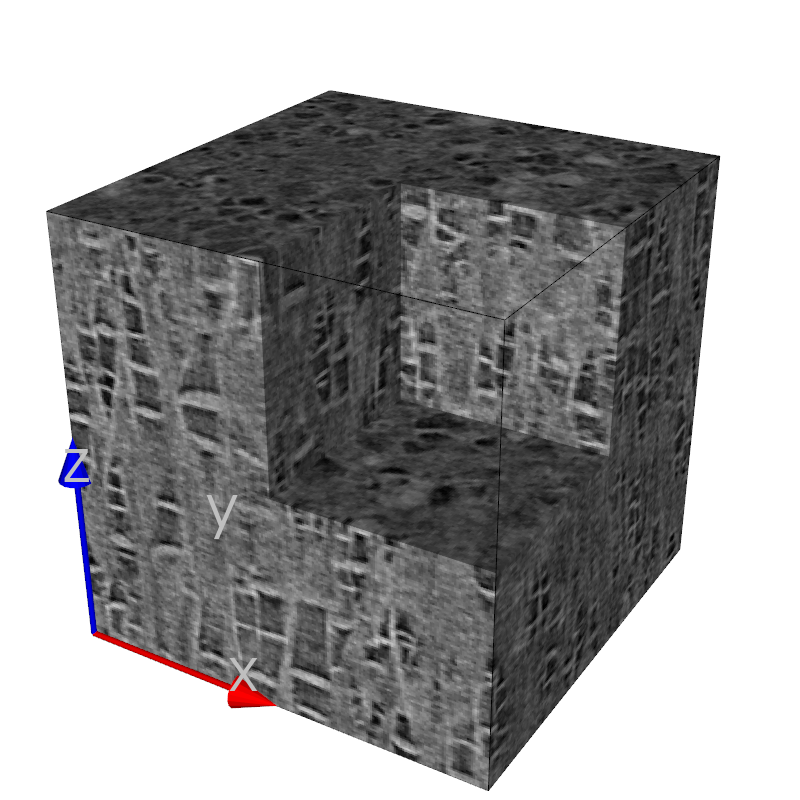
Python source code: pa6_teg.py
from vtk.util.colors import white, grey, black, lamp_black
from pymicro.view.scene3d import Scene3D
from pymicro.view.vtk_utils import *
from pymicro.file.file_utils import HST_info, HST_read

'''
Create a 3d scene showing tomographic data of a damaged PA6 sample.
A map_data_wit_clip filter is used to display part of the interior in 3d.
'''
# Create the 3D scene
base_name = os.path.splitext(__file__)[0]
s3d = Scene3D(display=False, ren_size=(800, 800), name=base_name)

# load the data
data_dir = '../data'
scan_name = 'pa6_teg11_e_crop.raw'
scan_path = os.path.join(data_dir, scan_name)
data = HST_read(scan_path, data_type='uint8', verbose=True)

print('adding the main actor')
actor = map_data_with_clip(data, cell_data=True)
actor.GetProperty().SetSpecular(.4)
actor.GetProperty().SetSpecularPower(10)
s3d.add(actor)

print('adding bounding box')
outline = box_3d(size=data.shape)
outline.GetProperty().SetColor(black)
s3d.add(outline)

print('adding XYZ axes')
axes = axes_actor(length=100, fontSize=60)
axes.GetXAxisCaptionActor2D().GetCaptionTextProperty().SetColor(grey)
s3d.add(axes);

print('setting up camera')
cam = setup_camera(size=data.shape)
cam.SetClippingRange(1, 5000)
s3d.set_camera(cam)
s3d.render()

# thumbnail for the image gallery
from matplotlib import image

image_name = base_name + '.png'
image.thumbnail(image_name, 'thumb_' + image_name, 0.2)