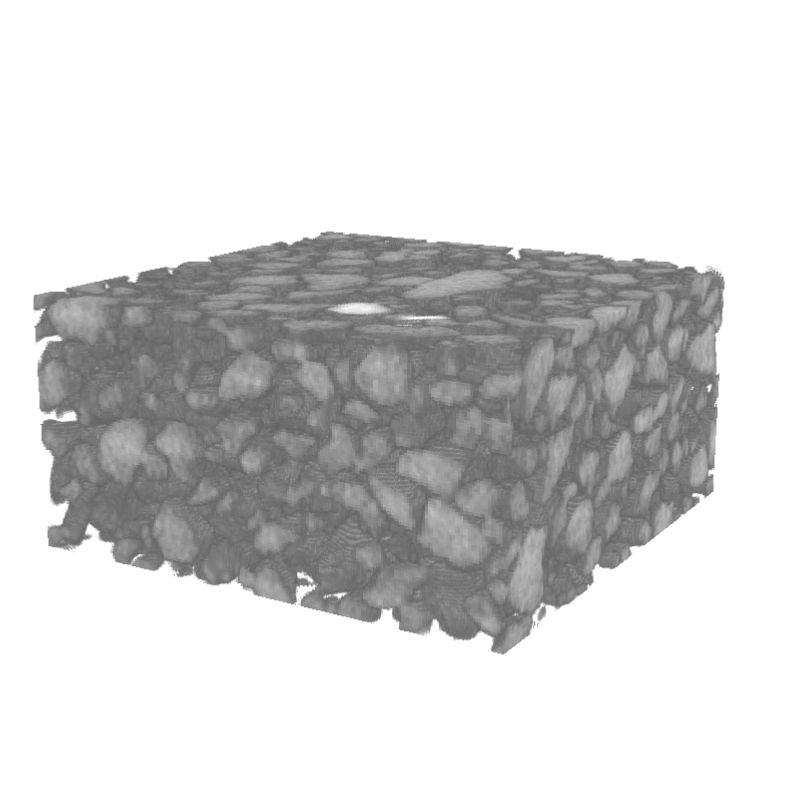
Python source code: sand_volren.py
from numpy import *
from pymicro.file.file_utils import HST_read
from pymicro.view.vtk_utils import read_image_data, setup_camera, volren
from pymicro.view.scene3d import Scene3D

base_name = os.path.splitext(__file__)[0]
s3d = Scene3D(display=True, ren_size=(800, 800), name=base_name)
size = (200, 200, 100)
data_dir = '../data'
scan = 'sand_200x200x100_uint8.raw'
im_file = os.path.join(data_dir, scan)
data = read_image_data(im_file, size)

# opacity function
alpha_channel = vtk.vtkPiecewiseFunction()
alpha_channel.AddPoint(0, 0.0)
alpha_channel.AddPoint(70, 0.0)
alpha_channel.AddPoint(100, 1.0)
alpha_channel.AddPoint(255, 1.0)

# color function
color_function = vtk.vtkColorTransferFunction()
color_function.AddRGBPoint(0, 0.0, 0.0, 0.0)
color_function.AddRGBPoint(200, 1.0, 1.0, 1.0)

# create the vtkVolume instance and add it to the 3d scene
volume = volren(data, alpha_channel, color_function)
s3d.add(volume)
cam = setup_camera(size=size)
s3d.set_camera(cam)
s3d.render()

# thumbnail for the image gallery
from matplotlib import image

image_name = base_name + '.png'
image.thumbnail(image_name, 'thumb_' + image_name, 0.2)