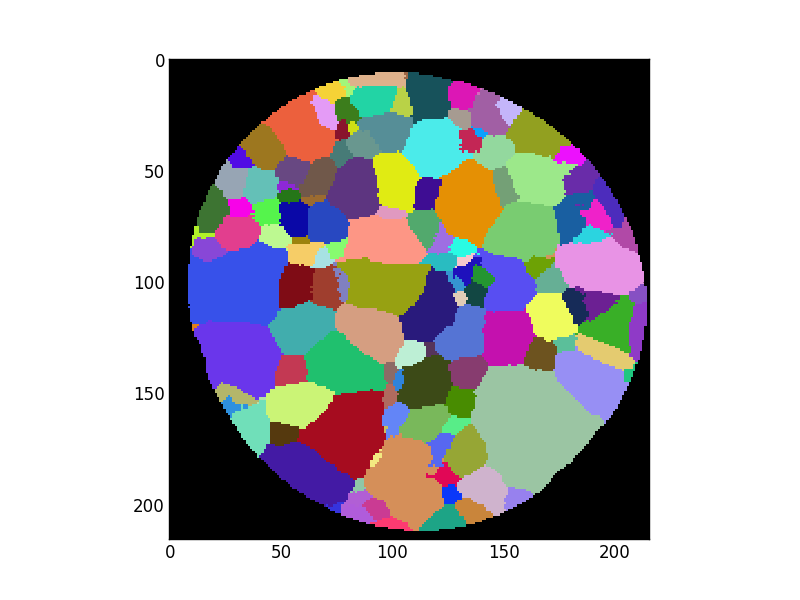
Python source code: pyplot_show_pixel_value.py
from pymicro.view.vol_utils import AxShowPixelValue
from pymicro.file.file_utils import HST_read
from pymicro.crystal.microstructure import Microstructure

'''
This example first demonstrate how to plot a slice of a 3d image. Here
we use a custom random colormap to display grains nicely.
The example also shows how to modify the coordinate formatter to
display the pixel value when moving the mouse above the plotted image.
Run this example interactively to try it.
'''
display = False
data_dir = '../data'
scan_name = 'pure_Ti_216x216x141_uint16.raw'
scan_path = os.path.join(data_dir, scan_name)
# read only the first slice of the volume and make it a 2d array
data = HST_read(scan_path, autoparse_filename=True, zrange=range(0, 1), verbose=True)[:, :, 0]

rand_cmap = Microstructure.rand_cmap(N=2048, first_is_black=True)
fig, ax = plt.subplots()
ax = AxShowPixelValue(ax)
ax.imshow(data.T, cmap=rand_cmap, interpolation='nearest', origin='upper')

image_name = os.path.splitext(__file__)[0] + '.png'
plt.savefig(image_name)
print('writting %s' % image_name)

from matplotlib import image

image.thumbnail(image_name, 'thumb_' + image_name, 0.2)

# display the plot in interactive mode
if display: plt.show()